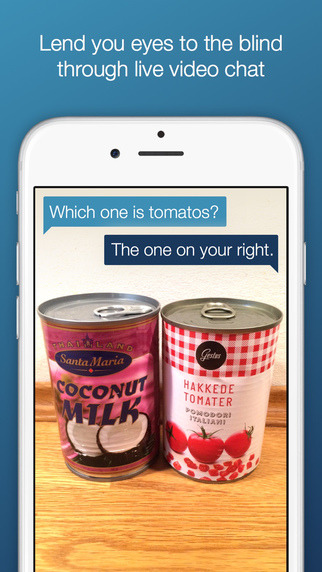
The app is called Be My Eyes and allows blind people to phone or message for help. The app seems to allow video and photos to be sent and the sighted person on the other end can send a message to the blind person, answering whatever inquiry they have.
[This is a set of screenshots about the app called Be My Eyes.
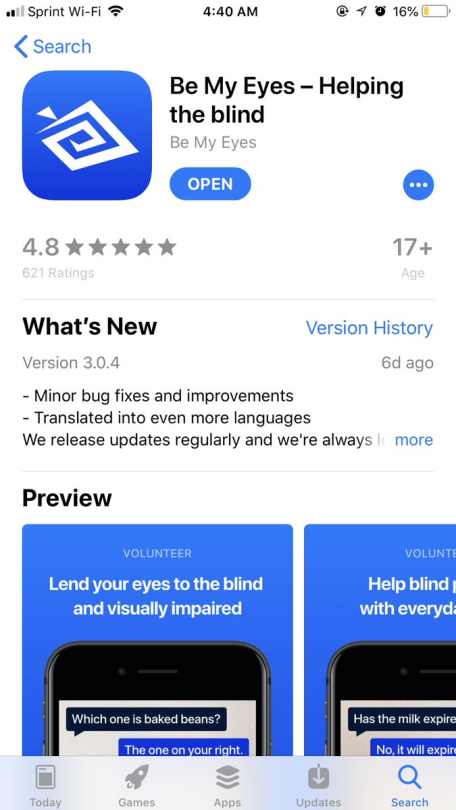
First photo: The overview page for the app. The top says “Be My Eyes- helping the blind.”
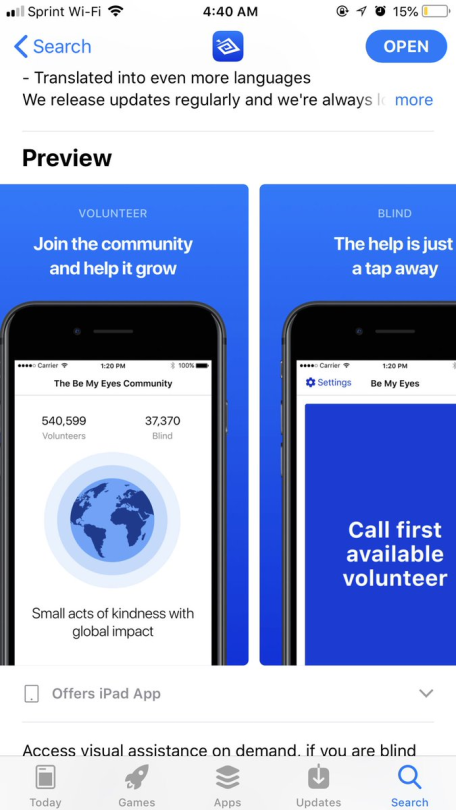
Second photo: The preview page on the app store. It shows two phones. The one on the left is titled “Volunteer” and says “Join the community and help it grow.” The one on the right is titled “Blind.” The phone under the title has “Call first available volunteer,” written in large font.
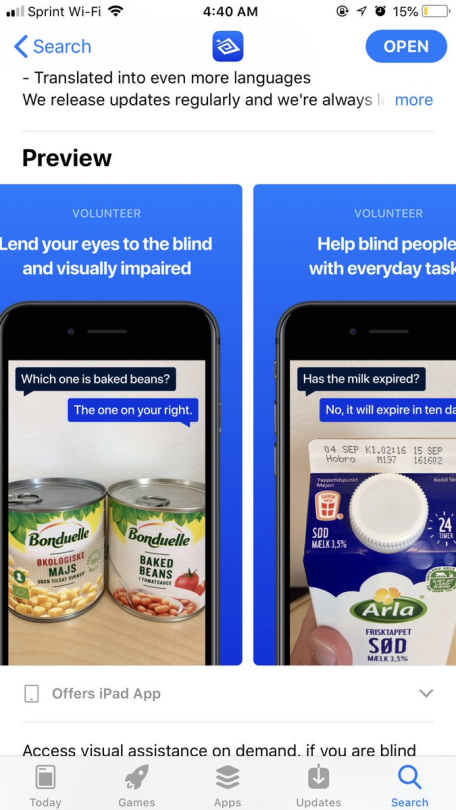
Third photo: More previews. Shows the messages between two people texting each other. The visually impaired person sent a picture of two cans of food, and is asking which one is beans. Another example shows the person sending a picture of their milk carton, and asking if it is expired.
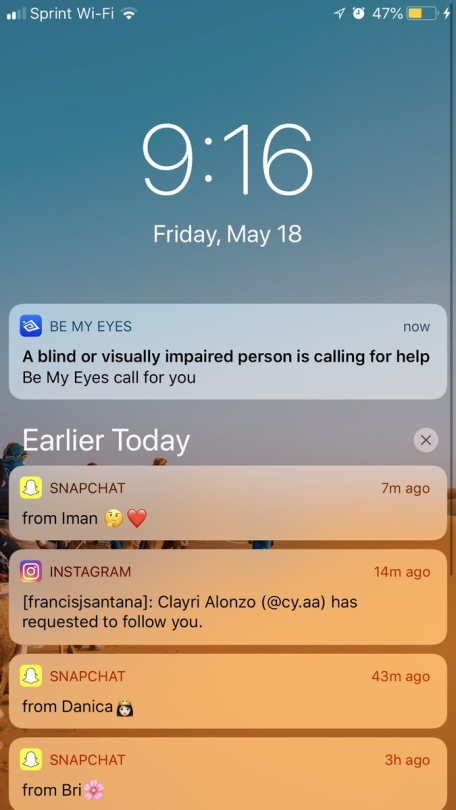
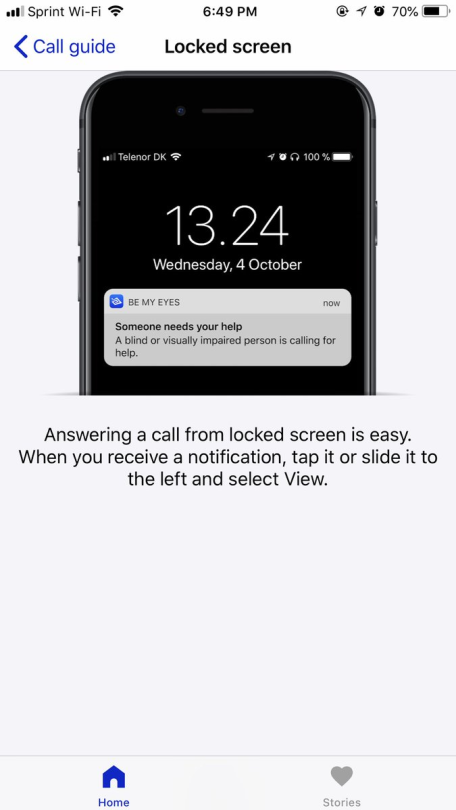
Fourth photo: An iphone lock screen. A notification from the app says “a blind or visually impaired person is calling for help.”
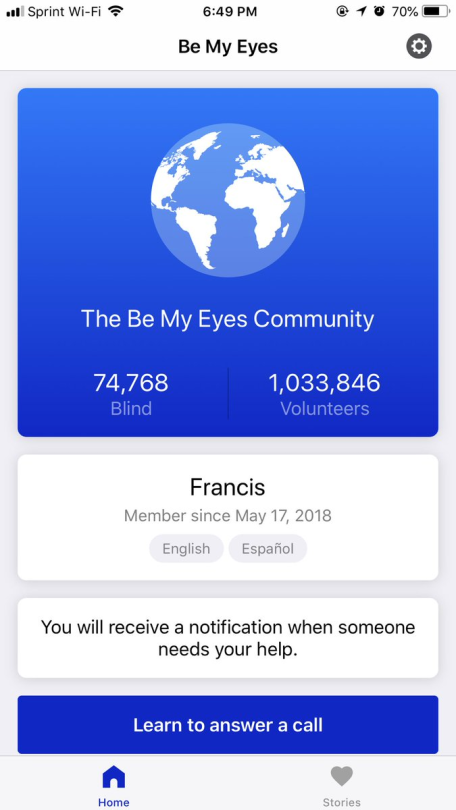
Fifth photo: The profile page of a sighted user named Francis, who speaks English and Español. The top says there are 74,768 Blind and 1,033,846 Volunteers using the app.
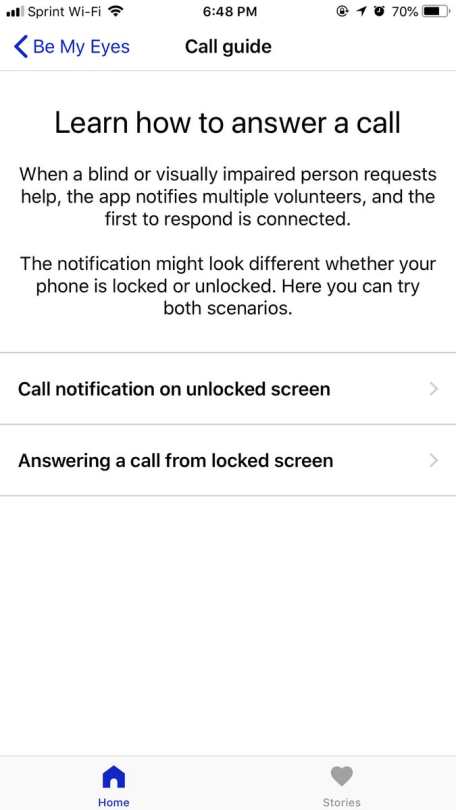
Sixth photo: Text that says “Learn how to answer a call. When a blind or visually impaired person requests help, the app notifies multiple volunteers, and the first to respond is connected. The notification might look different whether your phone is locked or unlocked. Here you can try both scenarios.
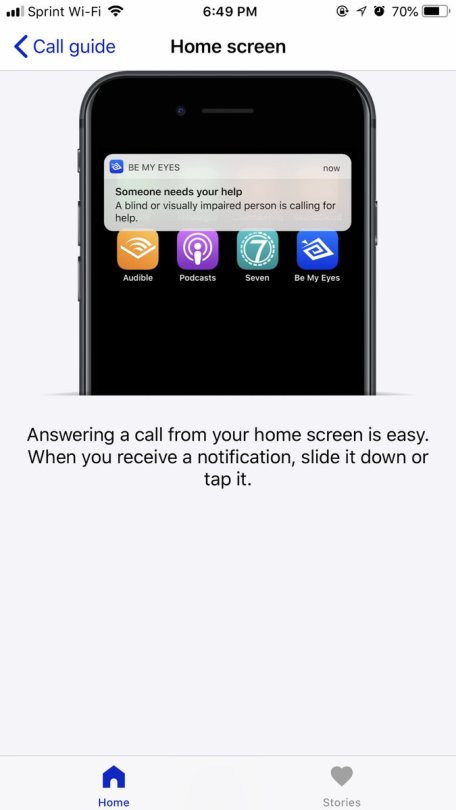
Seventh photo: A notification from the app on an iphone home screen. The instructions say to pull the notification down or tap it to answer a call.
Eighth photo: The same notification on an iphone lock screen. The instructions say to tap it or slide it to answer the call.]
Please reblog the version of this post with image descriptions. It’s a service for blind folks, posted about in a format blind folks don’t have access to (without the descriptions).
Also, if you’re willing to download and use this app but you don’t go out of your way to add image descriptions to the images you share, please reevaluate that! Contact me if you need help adding image descriptions to things.
This app is actually very useful. The way sighted people are talking about it is not.
hello! I don’t know if anyone has already made a post about this before, but I just stumbled upon this app made specifically for when you’ve gone into a nonverbal anxiety attack!!!
it was made by Jeroen De Busser who is an autistic computer science student.
the app is really easy to use! all you do is open it and hand your phone to someone you need to communicate with during an attack but physically cannot, and it shows this cool little alert for the person to read, and then it takes them to an easy to use chat (that looks a lot like texting! except both of you are communicating using the same device).
the alert message is completely customizable and you can have it say whatever you need!
the app is called Emergency Chat and it’s available in the Apple Store and google play store.
I highly recommend it to anyone who might need it 🙂
OH MY GOD?!?!?? BOOST
That’s so bootiful!
thank you so much for this because i never know what to do when i cant talk to people and they just start trying to ask me questions and its really hard to force myself to say i cant talk and stuff. im definately getting this right now
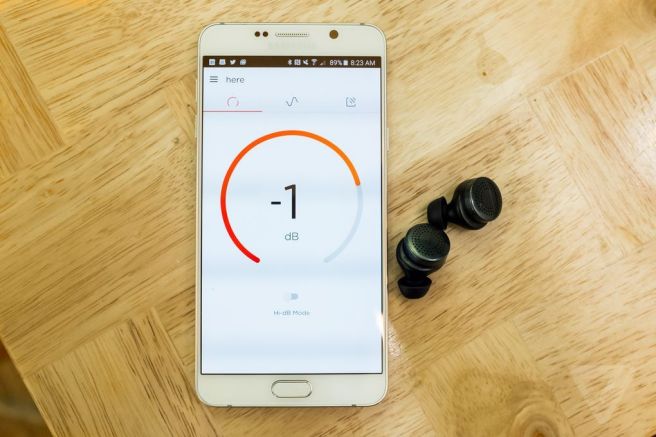
New earbuds that let you turn up or down the sounds around you.
But is not just about volume, you can also raise or lower the bass or adjust specific frequencies.
They also have preset filters that you can use to cancel out crowd noise or enhance the sound a concert venue.
“Riding on a bus? Just tap the “Bus” profile to drown out the low frequency hum. Walking around in a city? Tap the “City” or “Crowd” filters to tune out the murmurs and shouts. (There are also some crazier effects like “Echo” and “Fuzz.”)”
These have been created for the mass market but will have specific benefits to disabled people who want to block out sounds or for those who have hearing impairments.
“When you show up for a flight at an airport, the Here app could automatically suggest you switch to that profile. If you always set it to office mode at a certain location, the earbuds could start suggesting that filter when you arrive. Kraft’s ideas for Here go even farther than that, and they start to sound almost sinister. “I sometimes sit here with [the decibel setting at] +6 with just the door open and eavesdrop on the office, it’s kind of amazing,” Kraft jokes. “You can hear, like, the little conversations that you’re not supposed to hear.“The Here earbuds seem ready to tackle these everyday situations, but Kraft says they’re meant for more aggressive settings like live concerts, or the hustle and bustle of a big city.”
Called the Here Active Listening System by Doppler Labs, there is currently a waiting list to buy them.
And it’s FREE, which doesn’t make sense. Why would an app so good be free?
Let me tell you about this app OK
You set habits for yourself to complete morning, afternoon or evening. You can pick anything you want.
If you pick something like yoga, or exercise, you have the option to pick a workout and the app will guide you through it, with voice instructions.
You want to meditate? It has some guided meditations.
It’s really encouraging. You drank a glass of water? Great job, fabulous traveller! Continue to be fabulous!
You have feedback? They’ll incorporate it into the build as soon as possible.
You want personal coaching? They can totally do that.
Trying to achieve something specific? They’ll suggest habits and set small goals.
I’ve been doing it for 3 days and I just. I am getting up early now somehow? I am completing many things in my day instead of like 1 or 2 things? I don’t understand?I’m actually a little SUSPICIOUS because an app this genuinely good shouldn’t be FREE. Maybe the coaching thing costs money or something like that. It says “in-app purchases” as a permission but I haven’t come across any yet.
As I told lipstick-autistic in an ask, I made an app for android to help me communicate when I’m non-verbal after a meltdown. After receiving positive feedback on the concept, I decided to publish it here and hope I can help other people who want to communicate with outsiders in situations where speech is impossible.
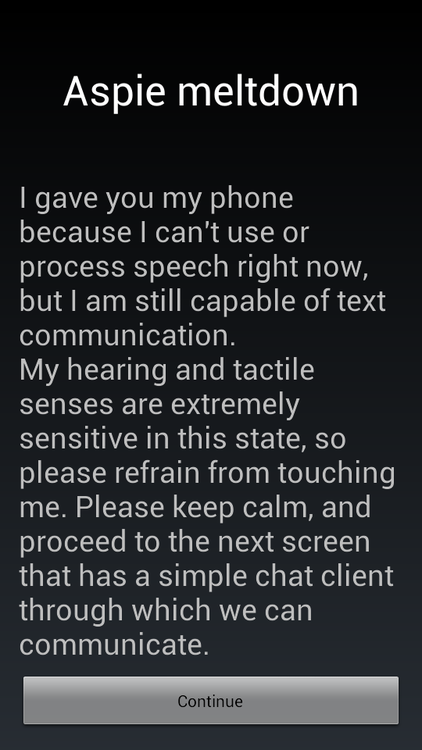
This is the opening screen of the app. It has a base text that explains to the person you gave your phone to that you can’t use speech and want to use this app to communicate.
Both the title and text can be adjusted in the settings(accessed with the Menu button on your phone or through the separate Settings launcher) to be whatever you want the person you give your phone to to know.
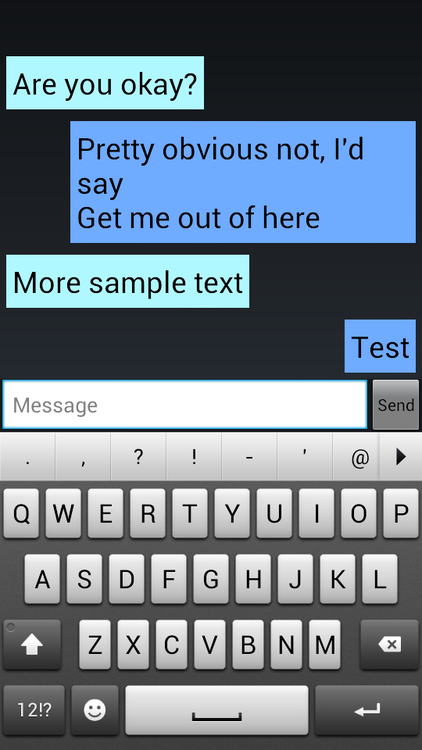
When the Continue button is pressed, the app continues to a bare-bones chat client:
(yeah, I didn’t really have a lot of inspiration writing a demo conversation)
I hope this helps some people(and I hope never having to use this).
Hi spoonies, I’ve been trying out some different free, Android apps to help manage my fibromyalgia, and so far I really like 3 of them:
-Bluelight Filter. I use it to tint my phone screen with black, and that tones down all the harsh light.
-Plant Nanny. You get a cute little plant to take care of! When you drink water, you give it water, so it keeps you hydrated. It even reminds you when to drink more!
-Pain Coach. This is through web md, and is great for tracking pain levels, symptoms, triggers, goals, etc!
Let me know if there’s any that you recommend, and I hope these help you 🙂
Pain Coach is great, I don’t use it often to record stuff but I do like reading things that are all kept in one place.
I also use FibroMapp, I think it cost me a few dollars but it’s pretty good
We’re building a simple, beautiful way to track and understand your chronic illness. Because we’re tired of our worst symptoms being ignored and our health being in other people’s hands.
Made by patients, for patients, Flaredown will be free forever. Check it out:
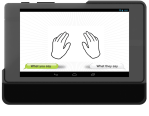
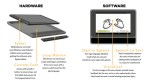
To any Tumblrites who are deaf, hard of hearing, know people who are, or just enjoy cool tech, a start-up called MotionSavvy is working on technology that uses Leap Motion to recognize sign language and and outputs written or spoken English. The project was started by a group of deaf students at RIT’s National Technical Institute for the Deaf (yay RIT!) who moved to San Francisco to develop the product with Leap.
The team has over 800 deaf beta testers, but they are looking for more. They hope to have a product available to consumers by September of 2015.




 Holding the Bowl